Features & editing

Every lever, switch, and shortcut,
in one place.

GitQi keeps its surface area small on purpose — but every feature earns its keep. This page shows you the full set, what it looks like in use, and the keyboard shortcuts that make it feel like an editor you've used for years.

Overview

Small toolbar. Big range.

The editor lives in a compact floating toolbar at the top of the page. Hover interactions reveal controls in context. Every action auto-saves to disk and keeps a full undo history across the session.

Inline editing

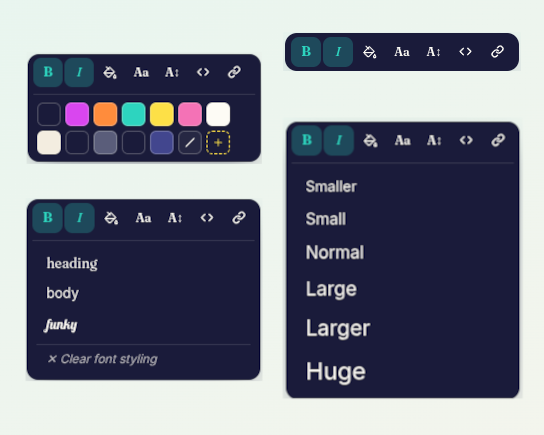
Click to edit. Select to format. Links, code, bold, italic, fonts, font sizes, colors — all from a floating toolbar.

Image swap

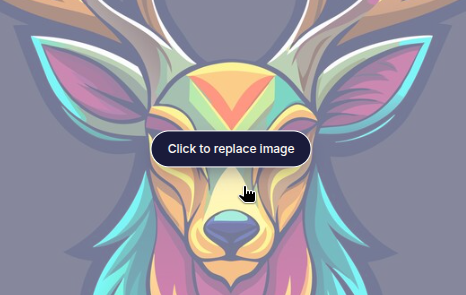
Replace any image with one click. Files go to your local assets/ folder and sync on publish.

AI sections & pages

Generate a themed section between existing ones, or ask for a whole new page. Gemini powered.

Reformat & undo

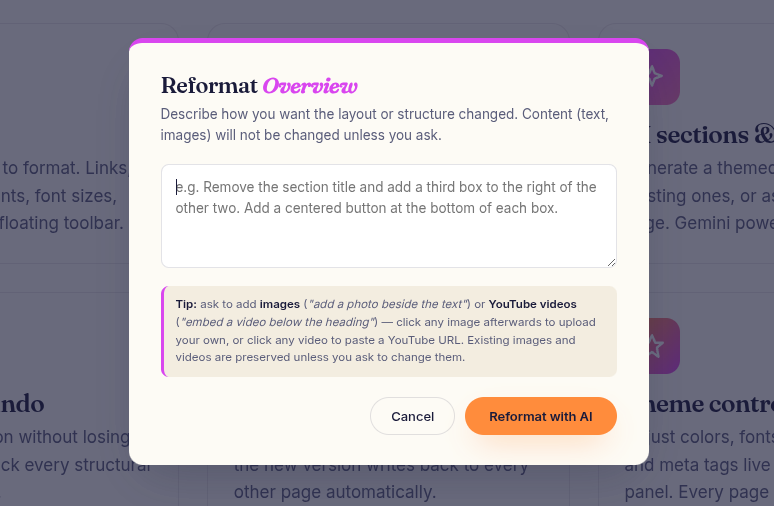
Restructure a section without losing its content. Walk back every structural change with Ctrl+Z.

Nav & pages manager

Restructure the nav on any page — the new version writes back to every other page automatically.

Theme controls

Adjust colors, fonts, spacing, favicon, and meta tags live from the Theme panel. Every page updates instantly.

Feature preview

A closer look at the craft behind each feature.

Each feature is built to disappear into the background of your workflow. Here's what the experience looks like in use.

01 · Text & links

Click, type, and format — all in place.

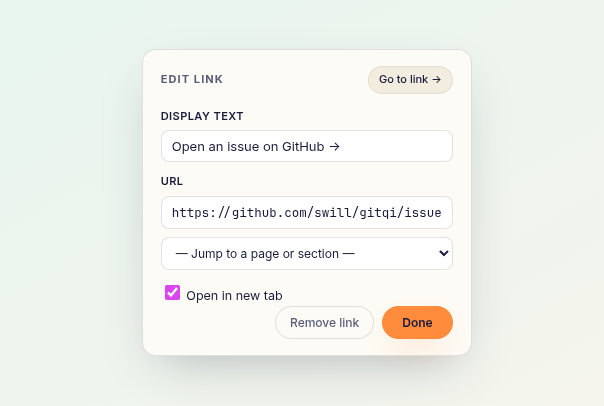
Every editable element becomes contenteditable when the editor is active. Typing feels native. Selecting text reveals a floating toolbar with Bold, Italic, Color, Font, Font Size, Code, and a Smart Link editor that lets you pick any page or anchor on your site.

  • Ctrl+Z uses the browser's native undo for text.
  • Link popovers include a Go to link → preview.
  • Nav links and body links share the same editor.
Screenshot showing the inline text editing toolbar
Screenshot showing image swap in action
02 · Images

Swap images by clicking them.

Click any editable image to open a file picker. GitQi writes the file into your local assets/ folder, rewrites the src, and queues it for the next publish. No drag-and-drop anxiety, no hidden folders, no mystery.

  • Every new image is named for its source element.
  • Assets sync to GitHub on publish — no separate step.
  • Your assets/ folder stays fully under your control.
03 · AI sections

Generate or reformat sections with AI.

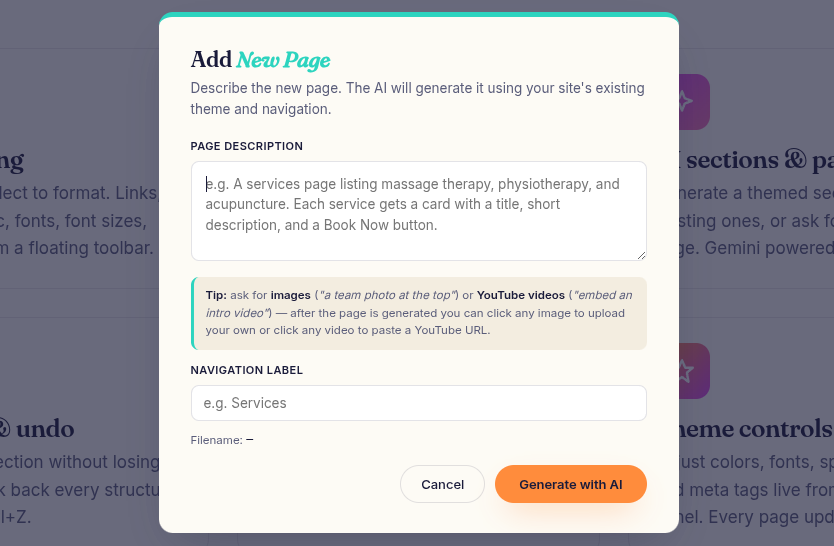
Hover between two sections to reveal + Add Section. Describe what you want — "a three-card features grid with icons" — and a themed section appears, matched to your palette and typography. Hover any existing section for ⟳ Reformat to restructure it without losing content.

  • Powered by Gemini via your own free API key.
  • Every generated section is editable like any other.
  • Undo walks back the full structural change.
Screenshot showing the AI add-section popup
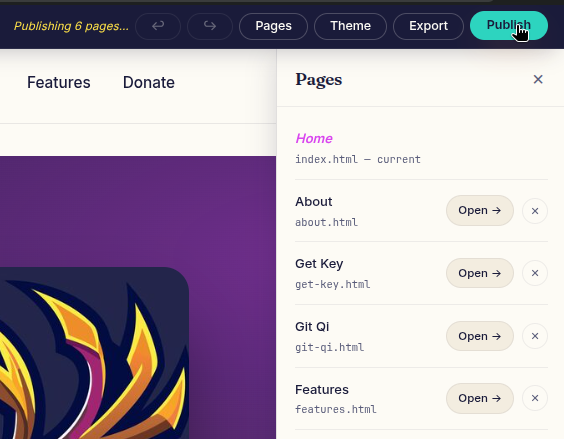
Screenshot showing multi-page manager
04 · Pages & nav

Multi-page sites, synced automatically.

Click Pages in the toolbar to add a new AI-generated page, navigate between pages, or remove a page you no longer need. Whenever the nav changes — a reformat, a new page, a rename — the update is mirrored to every other page file on disk instantly.

  • Automatic gitqi-pages.json manifest.
  • Nav edits sync without a manual rebuild.
  • Page titles and meta descriptions are editable per page.
05 · Theme

Palette, fonts, and spacing in one panel.

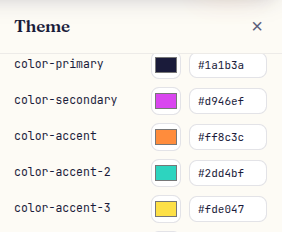
Click Theme to open a live-editing panel for every visual token: primary and accent colors, heading and body fonts, spacing scale, border radius, and meta tags. Changes update the page in real time and apply across every file in your site.

  • All tokens map to the :root CSS variables.
  • Edit the favicon, page title, description, and keywords inline.
  • Browse the full Google Fonts catalog (~1,900 families) with a live-preview picker, or add your own font variables.
Screenshot showing theme panel
Screenshot showing the publish button and GitHub sync
06 · Publish

One click. Clean HTML. Live site.

Click Publish and GitQi serializes every page, strips the editor scripts and your credentials, then pushes the clean files straight to your GitHub repo via the Contents API. GitHub Pages picks up the changes and your site is updated in about sixty seconds.

  • No Git, no CLI, no build step.
  • Published HTML contains no editor code — ever.
  • Supports custom domains via GitHub's native settings.